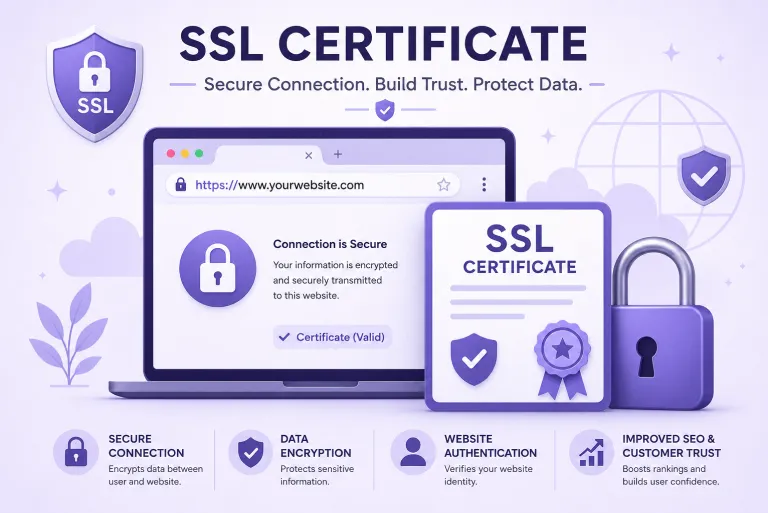
Your browser already knows something most website owners ignore. That small padlock next to a web address is not decoration. It is your browser telling you the connection is encrypted and the site is verified. No padlock? Chrome calls the site “Not Secure” in plain text, right at the top. Visitors see that before they read a single word you wrote. That padlock comes from one thing: an SSL certificate.
So What Exactly Is an SSL Certificate?
SSL stands for Secure Sockets Layer. An SSL certificate is a digital file that lives on a web server. When someone visits your site, this file kicks in and creates an encrypted channel between their browser and your server. Data moving through that channel, whether it is a login password, a contact form entry, or a card number, gets converted into unreadable code during transit.
Without it, that same data moves in plain text. Anyone intercepting the connection on a shared network, say a coffee shop Wi-Fi, can read it.
The moment a certificate is active, your site address shifts from HTTP to HTTPS. That S stands for secure. It is the visible sign that encryption is running.
The Types Worth Understanding
SSL certificates do not all work the same way. They differ by what gets verified before the certificate is issued.
Domain Validated (DV) certificates are the most basic. The issuing authority checks that you control the domain name, nothing more. These get issued in minutes and work fine for blogs, portfolios, and simple informational pages.
Organization Validated (OV) certificates go further. The certificate authority also checks that the business behind the domain is real and registered. This is the standard choice for most business websites.
Extended Validation (EV) certificates require the most thorough check. Identity, legal standing, and physical location all get verified. Issuance takes five to seven days. These are typically used by organizations where user trust carries significant weight.
Beyond validation levels, coverage type matters too. A single domain certificate covers one web address. A wildcard certificate covers a main domain plus every subdomain under it. Multi-domain certificates handle several different domain names under one file, which is useful for businesses running more than one web property.
What It Does for Search Rankings
Google added HTTPS as a ranking signal in 2014. That policy has not changed. Sites running on HTTP sit at a disadvantage compared to equivalent HTTPS sites in search results. It is not the biggest ranking factor, but it is a confirmed one, and there is no reason to compete with one hand tied behind your back.
Choosing a web hosting plan that includes SSL support from the start saves the hassle of sourcing and configuring a certificate separately after launch.
Search engines also index HTTPS pages more reliably. Crawlers treat secure pages as a quality signal. Over time, the gap between an HTTP site and a competing HTTPS site adds up in ways that show clearly in traffic data.
Trust, Phishing, and Why Browsers Got Strict
Browsers have gotten aggressive about flagging unsecured sites because phishing attacks have too. A verified SSL certificate is one of the tools browsers use to distinguish a real website from a copycat designed to steal credentials.
This matters more for sites handling any kind of sensitive data. On payment pages, membership logins, booking forms, and anywhere personal information changes hands, the certificate is not optional. Major payment processors will not work without HTTPS active on the domain. Visitors who spot a security warning on a checkout page leave. That is not a maybe; it happens consistently across all device types.
Silverhost works with certificate authorities including DigiCert, GeoTrust, Thawte, RapidSSL, and Symantec to offer SSL options across all three validation levels and coverage types, with installation support included.
Final Thoughts
An SSL certificate is not a technical luxury for large websites. It is a baseline requirement for any site that wants to be taken seriously by visitors and indexed properly by search engines. The cost of running without one shows up in lost trust, lower rankings, and real security exposure.
Before anything else on your website gets optimized, this needs to be in place. Is your site currently showing HTTPS in the address bar, or is there a “Not Secure” warning sitting there right now?
FAQ
Picture a sealed, tamper-proof envelope. When someone types into a form on your website, that information needs to travel from their device to your server. An SSL certificate seals that data so nobody can read it on the way. Without it, the information moves openly, like a postcard anyone can read. With it, the connection is locked down and private.
There’s no “magic number.” It’s about “velocity.” Five new reviews every month is way better than fifty at once followed by silence for a year.
It comes down to how much gets checked before the certificate is issued. DV only verifies that you own the domain. Quick and basic. OV adds a check on your business registration, so visitors know a real company is behind the site. EV puts the organization through detailed verification and is common for institutions where credibility carries serious weight. For most small and mid-sized business websites, OV hits the right balance.
It is a direct ranking factor, confirmed by Google. Two pages with similar content, one on HTTPS and one on HTTP, the secure one has the advantage. That said, getting SSL does not automatically move you up overnight. Think of it as removing a penalty rather than adding a boost. Your competitors with HTTPS are already not losing points for this. Running HTTP means you are.
Open your website and look at the address bar. You want to see a padlock icon and the address starting with HTTPS. If the padlock has a warning triangle on it, something is broken, usually a mixed content issue where certain images or scripts on the page still load over HTTP instead of HTTPS. A free tool like SSL Labs’ SSL Test will show you the full picture in about thirty seconds.