
You have used a web application today. Almost certainly. If you checked your email in a browser, tracked an order, or logged into any kind of online portal, that was a web application doing its job. Most people ask “What is a web application?” only when they are trying to build something online and realize a regular website will not cover what they need. That confusion costs businesses real money when they go looking for the wrong kind of solution.
What Is a Web Application, and How Is It Different from a Website?
A website is a set of pages that deliver content. You read, watch, or scroll. The page behaves the same way for every person who visits it. Nothing changes based on who you are or what you type.
A web application behaves differently for each user. Log in and it knows who you are. Submit a form and it processes that information, checks something in a database, and returns a result specific to you. It is not just displaying content. It is running logic.
Here is a concrete example. A restaurant’s webpage listing its menu is a website. The online table booking system where you pick a date, check availability, and get a confirmation sent to your email is a web application. One informs me. The other acts.
What Is Actually Happening Under the Hood?
To fully understand what is a web application, you need to look at what happens between the moment a user clicks something and the moment a result appears on screen.
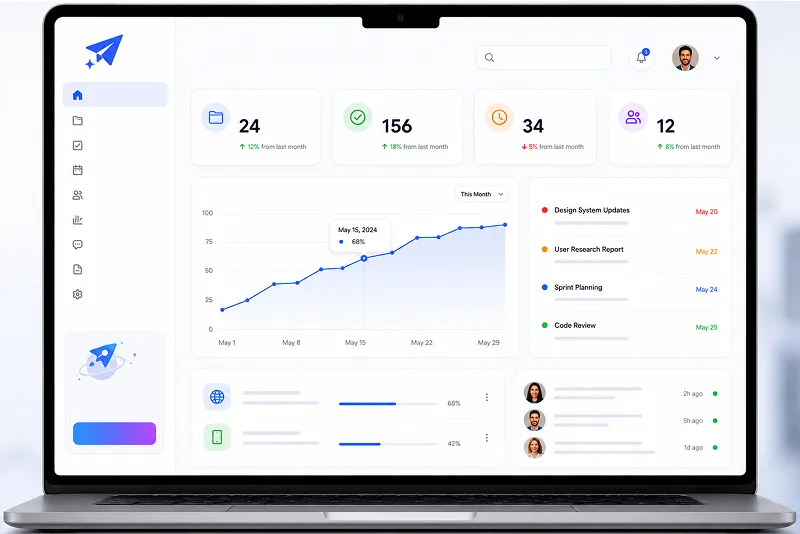
Every web application has two working parts. The frontend is the layer you interact with in the browser. Buttons, input fields, dashboards, dropdown menus. These are built using HTML, CSS, and JavaScript to create the interface.
Behind that sits the backend. When you click a button or submit data, a request travels to a server. The server runs whatever logic is required, pulls or writes data to a database, and sends a response back to your screen. You never see the backend. You only see the result it returns.
Because the whole thing runs in a browser, nobody installs anything. A person using the same application on a laptop in one city and a tablet in another city gets the same experience. That is one of the practical reasons web applications replaced a lot of desktop software in business environments.
Where Businesses Actually Use Them
The categories are broader than most people assume.
Account management systems control who can access what, store user-specific data, and handle logins across organizations. Quotation and invoice management tools let a sales team generate, send, and track documents without ever opening a spreadsheet. Learning management systems deliver training content, track completion, and assess progress for each individual user. Hospital management systems tie together patient records, appointment scheduling, pharmacy, billing, and lab results across multiple departments.
These industries have almost nothing in common. The underlying structure of the web application across all of them is the same. What changes is the logic and the interface built around the specific workflow.
Why Off-the-Shelf Software Often Falls Short
Generic software is built for the average use case. It covers common ground. When a business runs processes that fall outside that common ground, the software becomes a workaround rather than a solution. Staff adapt their workflow to fit the tool instead of the tool fitting the workflow.
A custom web application gets built around what the business actually does. The fields, the user roles, the data flows, and the access controls, all of it reflects real operations rather than a vendor’s assumptions about what most customers need.
Maintenance works differently too. Updates are pushed from the server. Users open the browser the next day, and the new version is already there. No installation, no version conflicts, no IT department rolling out patches across fifty machines.
Testing and Quality Are Not Optional Steps
A web application that breaks under real usage is worse than not having one. Proper development includes testing at each stage: checking that new features work correctly, verifying that adding something new has not broken something that already worked, and running the application under conditions that match how actual users will use it.
UI and UX design also shapes whether a web application succeeds in practice. An interface that confuses users creates errors. It creates support calls. It creates workarounds. A well-thought-out interface reduces all of that because users can navigate it without needing a manual.
Final Thoughts
A web application is a different category of tool. Not a better-looking website. It processes inputs, applies logic, and returns outputs that are specific to each user and each interaction. Businesses use them to manage data, automate workflows, and handle operations that a static website simply was not built to do.
If your team is currently managing something important through spreadsheets, email chains, or software that was never quite the right fit, what would a system built around your actual process change day to day?
FAQ
It is software that runs in your browser instead of being installed on your device. The difference from a regular website is that a web application responds to what you do. You log in, and it knows who you are. You submit a form, and it processes that data and gives you something back. Think of online banking. You are not just reading information; you are doing things and the system is responding.
A website is mostly one-directional. It puts content in front of you. A web application is interactive in a functional way, with not just clickable links and videos but actual processing. Your data goes in, something happens with it, and a result comes back. The booking system on a travel site is a web application. The page describing the destinations is a website. Both sit in a browser. Only one of them does anything with your input.
Yes, because it runs through a browser rather than being tied to one operating system. A properly built web application adjusts its layout for different screen sizes so it is genuinely usable on a phone, not just technically accessible. No app store download required.
Quite a range. Schools and training providers managing online courses. Hospitals coordinating patient data across departments. Logistics companies tracking shipments. Sales teams handling quotations and client accounts. Any organization that manages data, coordinates users, or needs to automate a repeating process is a candidate. The common thread is that they need something their off-the-shelf software cannot quite do.
There is no single answer because complexity varies enormously. A focused application with a clear scope and straightforward requirements can be ready in a few weeks. Something with multiple user roles, third-party integrations, and complex data handling takes longer. The planning stage before development starts is where timelines get set or broken. Vague requirements at the start are the most common reason projects run long.