
Ask ChatGPT about a company, and the answer leans on whatever details it can find. OpenAI has now added a way for businesses to claim or create their own profile, much like setting up a Google Business Profile. This guide explains how to set up a ChatGPT business profile through OpenAI, from searching for your name to finishing identity checks, based on the process as it is currently described. Features and eligibility can change, so confirm the latest rules before you begin.
What a ChatGPT Business Profile Includes
A profile is the record ChatGPT can draw on when someone asks about your business. Once it is yours, you can add the business name, website, description, category, address or service area, opening hours, contact details, products or services, a logo and a cover photo. Retailers can also connect a product feed so price and availability show up.
Eligibility comes first. Eligible online businesses may be able to create a new profile when none exists. Local stores and restaurants can currently claim only an existing U.S. listing, so a shop in Kerala or a restaurant in the Gulf should check whether the option is open to them yet.
The Step-by-Step Setup Process
Step 1: Start the Claim
Sign in to ChatGPT and open the Business Hub from the side bar. Find the business profile option and choose Claim Your Business to begin. Keep your website and Google Business Profile open in another tab, because you will want the details to match.
Step 2: Search for Your Business Name
Type your exact business name into the search bar. Use the spelling that appears on your website and your listings. A slightly different version can pull up the wrong result or none at all.
Step 3: Select Your Listing or Create One
If your business appears, select it, confirm which ChatGPT account will manage it, and click Get Started on the next window. Pick carefully, since a similar but wrong listing creates cleanup work later.
If nothing appears, look for the Create option and register a new profile. Whether that option shows up depends on your eligibility.
Step 4: Verify the Business Connection
OpenAI asks you to prove the business is yours. Depending on the business, you may verify through an SMS or call to the business phone, a code sent to a business email, a TXT record on your website domain, or a connected Shopify store.
A TXT record is a small text entry added to your domain settings. It sounds technical, yet a web developer or hosting provider can usually add it in a few minutes.
Step 5: Wait for the Claim Review
OpenAI reviews your claim. It may email you with a decision or ask for more details, so watch the inbox you used, including spam. Timing is not fixed, so avoid planning a campaign launch around the approval date.
Step 6: Complete Persona Identity Verification
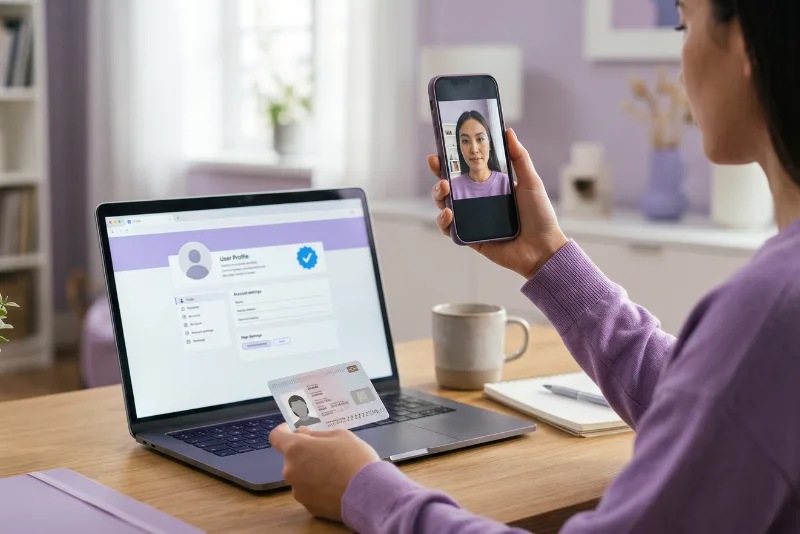
Updating profile details and viewing insights both require persona identity verification. You may be asked for a government ID, business registration or proof that you are authorised to act for the business. After approval, a blue verified badge appears.
Treat this stage with care. Upload documents only inside the official flow, and ignore any message that sends you to an unfamiliar link asking for ID.
Fill in the Profile Fields Accurately
Once verified, fill every field you can, and write each one as a fact rather than a slogan. AI tools skip vague marketing claims. Prices, timelines, figures and named experts give them something to quote.
Consistency counts as much as completeness. Your name, address and contact details should be read identically on your website, your Google Business Profile and any directory that lists you. Schema markup on your site helps tie those details together for machines.
Clinics, Ayurveda centres and other wellness providers should be extra careful. Google holds health content to higher standards, so describe services plainly, name the qualified practitioner, and leave out cure claims or promised outcomes.
Keep the Profile Current
A ChatGPT business profile is not a one-time job. Whenever hours, services or contact details change, update them on the website and your Google Business Profile in the same week. Reviews, directory listings and articles that mention your business also add weight, so collect genuine reviews and reply to them.
Google’s AI Overviews and AI Mode draw on the same ranking and quality systems as normal search, and they cite web pages as sources. Good SEO is still the foundation. Many teams now track AI search visibility as its own number next to rankings and traffic. A simple monthly check works at any size: ask ChatGPT the questions a customer would ask and note what it says about you.
Final Thoughts
The process comes down to six moves: start the claim, search your name, select or create the listing, verify the connection, pass the review and finish identity checks. After that, the work is keeping your details true and consistent everywhere they appear. At Silverhost, tracking AI search visibility alongside rankings and traffic is part of regular SEO reporting. Which detail on your profile would you want to double check first?
FAQ
Yes, based on the process described. You sign in to ChatGPT, open the business profile option and choose Claim Your Business. Then you search for your exact business name. Availability and eligibility can change, so check OpenAI’s current help documentation before you start.
Look for the Create option and register a new profile. Whether it appears depends on eligibility. Eligible online businesses may see it, while local stores and restaurants can currently claim only an existing U.S. listing. Check OpenAI’s latest rules for your case.
Pick any option offered for your business. That can be an SMS or call to the business phone, a code sent to a business email, a TXT record on your website domain, or a connected Shopify store. The list you see depends on the business.
Personal identity verification is required before you can update profile details or view insights. It may ask for a government ID, business registration or proof that you can act for the business. Share documents only inside the official flow, never through an unexpected link.
No promises there. The blue badge appears after approval and shows the claim was verified and nothing more. Accurate, consistent business details are what help, and nobody can guarantee how an AI answer will read or whether it will mention your business.